
The ops team in your pocket: building the Laayo Admin App
Running deliveries in a small town happens on foot, on a scooter and at a restaurant counter, not at a desk. So we gave our operations team a phone app built on the same rules as the web panel.

For a long time, running Laayo meant a laptop. Orders waiting for a rider, a restaurant that had not started cooking, a customer asking where their food was: all of it lived in a web panel built for a big screen. The people who actually fix those things are rarely at a desk. They are at a restaurant counter, on a scooter between towns or standing outside a customer’s gate.
So we built the Laayo Admin App, a phone app for the people who keep the day running.
Start from the rules we already had#
The tempting way to build an admin app is to write a fresh set of API endpoints and a fresh set of permissions for it. That is also how you end up with two admin systems that disagree about who is allowed to do what.
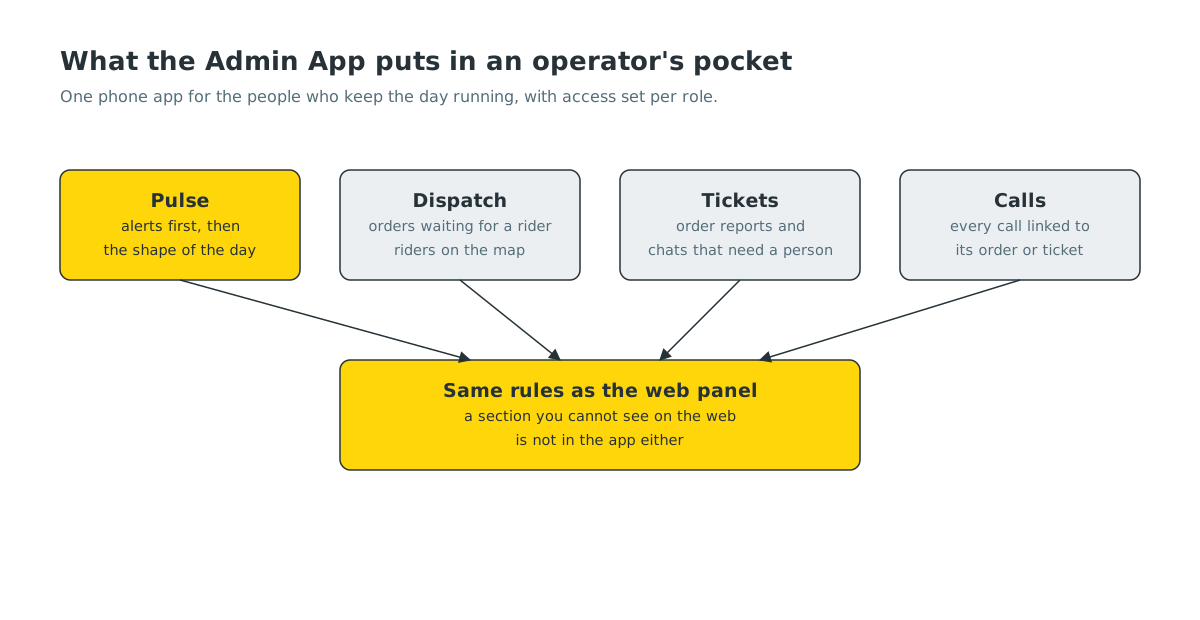
We went the other way. The web panel already has a well-tested access model: sections like orders, tickets, settings and finance, and roles that can see some sections, edit some and only read others. The app’s server side reads exactly the same rules. Every app endpoint declares which section it belongs to, and a single gate checks the signed-in person against the same table the web panel uses.
Two details mattered more than we expected:
- Read-only really means read-only. A role that can only view a section is refused every change in it, unless the endpoint is explicitly marked as safe, such as saving your own notification preferences. An auditor still needs alerts on their phone.
- More than one device per person. The rider app allows one phone per rider on purpose. For the ops team that rule is wrong: people use a phone and a tablet, and both should get alerts.
Pulse: what needs you, first#
The first screen is Pulse. It is ordered by urgency, not by department:
- Alerts that need someone now: an order no rider has taken, a restaurant that has not started cooking, a customer waiting on a person in chat.
- Counts for the day so far, compared with a normal day.
- Money: what has been collected, what is waiting to be settled.
- Switches that change how the platform behaves, for the people allowed to touch them.
- Activity: a running log of what the team did, so nobody fixes the same thing twice.
Alerts are not just pushes. Each one opens the exact order, ticket or rider it is about.
Dispatch on a map#
The Dispatch board shows orders that need a rider and the riders who could take them, on a map and in a list. Assigning a rider from the app goes through the same order logic as the web panel. We learned that the hard way: an early version only attached the rider and left the order in its old state, so neither the restaurant nor the rider got the alert they should have. Now the app and the panel share one code path for assignment, and a fix in one is a fix in both.
Each rider row shows how many orders they have delivered today, including when that number is zero. Hiding zeros made a quiet rider and an uncounted rider look the same.
Riders are getting a lighter version of the same idea in their own app, called Crew Radar, rolling out with the rider app: who on the team is online, where they are and which orders each person is carrying. It makes it easy to see who is free when a new order comes in.
Tickets and calls in one place#
Order problems reported by customers and support chats that need a person both land in Tickets, in one queue sorted by who has waited longest. A ticket opens straight into the conversation or the order report, so the reply goes where the customer already is.
Calls work the same way. When someone on the team calls a customer, rider or restaurant from the app, the call is placed through Laayo’s own line, so personal numbers stay private on both sides. Each call is linked to the order or ticket it was about, with a short summary of what happened. Automatic calls, like the reminders we place to restaurants that have not started an order, show up there too, marked as made by Laayo.
Design rules for a work tool#
An app people use under pressure needs to be calm. We kept a few strict rules:
- Real artwork, not generic icons. The app reuses illustrations and icons from our customer, rider and partner apps, so it looks like Laayo and not like a template.
- A small, fixed set of card shapes. Every list in the app reuses the same layouts, so nobody has to relearn a screen.
- Skeletons, never a spinner covering the page. Data appears where it will sit, and a slow network never hides what was already on screen.
What’s next#
Every new feature in the Admin App starts with the question “where is the person who will use this standing?” Next we are bringing more of the day-to-day restaurant work into the app, so a team member visiting a partner can fix a menu or a payout question right there at the counter.


